🌡️Guardian Thermometer & Hygrometer
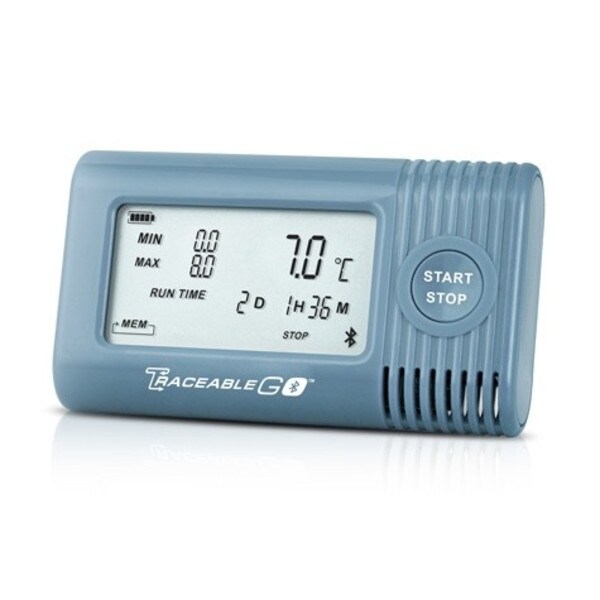
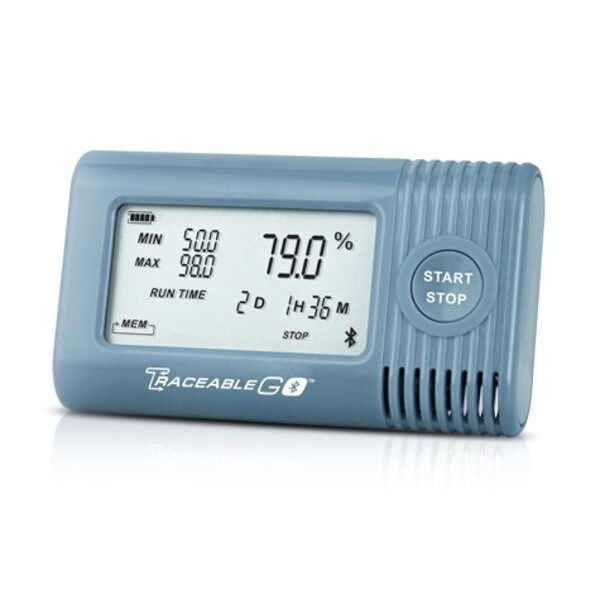
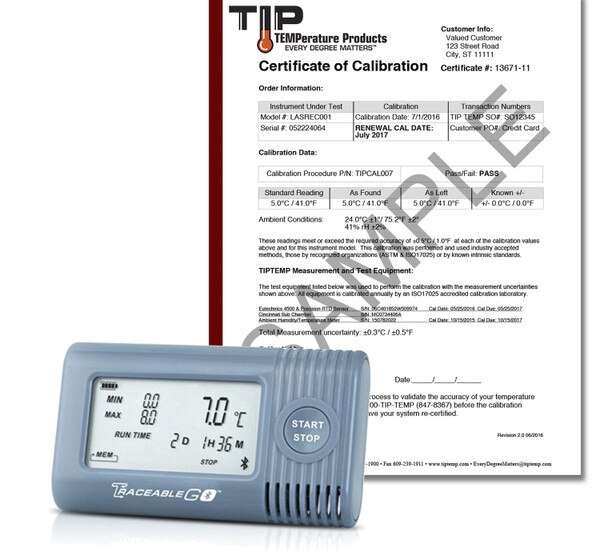
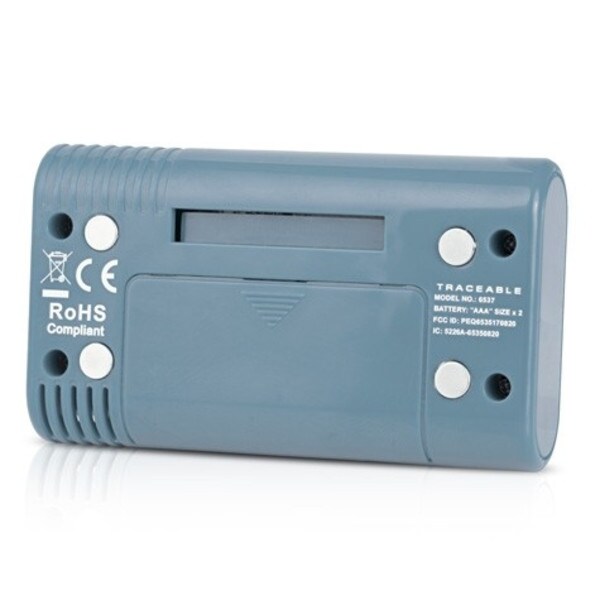
✅ Combined thermometer and hygrometer in one compact unit
✅ Bluetooth data download via smartphone app (iOS & Android)
✅ Optional cloud storage account available
✅ Large LCD display with Min/Max memory
✅ CE marked and ROHS compliant
✅ Long logging life: up to 7.5 months at 5-minute intervals
✅ Ideal for refrigerators, freezers, incubators, and storage areas
──────────────────────────
Bluetooth Data Logging Thermometer with Hygrometer
Safely monitor the temperature and humidity of reagents, clinical samples, vaccines, pharmaceuticals and food items at any location.
With the mobile app, view if an alarm was triggered, generate an instant data report. Device stores up to 90 alarm events, records readings once every 5 minutes by default, or the user may adjust the reading interval between one minute to once every 12 hours, logging duration is 227 days (7.5 months) and are pre-programmed with alarm values.
| Temperature Sensing Range: | –20 ~ 70°C (–4 ~ 158°F) |
| Temperature Accuracy: | +/- 1°F (+/- 0.5°C) typical |
| Temperature Resolution: | 0.1° |
| Temperature Scale: | °F or °C |
| Humidity Range: | 0% ~ 95% |
| Humidity Accuracy: | +/- 5% rH |
| Humidity Resolution: | 0.1% |
| Min/Max Memory: | Yes |
| Dimensions: | 3.5 x 2 x 0.79in |
| Calibration Available: | Yes (included) |
| Special Notes: | CE Marked, ROHS Compliant |
| Number of Sensors: | 1 |
| Data Points: | 64K (65536) data points, 7.5 months on 5-minute logging interval |
| Exportable Data: | Yes, via Bluetooth, Requires Smartphone App |
| Recording Rate: | 5 min by default, user-adjustable between 1 minute and 12 hours with 1 minute step. |
| Display: | LCD |
| Software Type: | App (Google Play or App Store) |
- (1) Guardian Thermometer PRO with Hygrometer
- (1) NIST Traceable Calibration Certificate
- (2) AAA Alkaline batteries (3.0V)
- (1) Quick Start Guide
- (1) Wall Mount
- Expert Technical Support
Use the resources below to quickly and easily begin using Guardian Thermometer PRO. If you prefer to speak to our expert staff, call us at 1-800-TIP-TEMP or e-mail us at EveryDegreeMatters@tiptemp.com
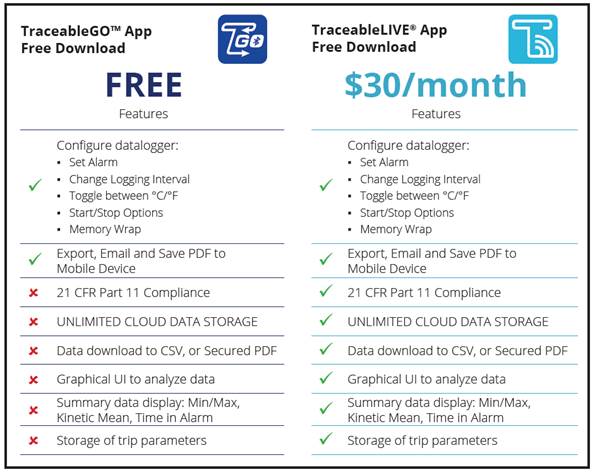
Is one of the Apps listed above required to use the TraceableGO™ Datalogger?
Yes. Without the app, you will not be able to start new trips, adjust parameters, download the data, or export the data.
Can I use the Guardian Pro without a Smart Phone or Tablet?No, a Smart Phone or Tablet is required to communicate with the device.
How do I enable the Bluetooth Signal?
Quickly double-tap the Start/Stop button on the front of the device
How is the time set on the logger?
During configuration, the time on the mobile app is sent to the logger
Can I clear the memory without the mobile app?
No. Data can only be deleted with the mobile apps.
Can I download data multiple times?
Yes, data is not cleared from memory until the device is reconfigured
What issues could affect battery life?
Communication interval, extended loss of connectivity, environmental conditions (i.e. ambient Temp), time in alarm, and excessive bluetooth signal enabling
During battery replacement, how to ensure no lost data?
Change batteries within time of logging interval. Each device will maintain stored data not yet transitted even after battery removal and replacement.
When should I replace the batteries in my TraceableGO™ Dataloggers?
We recommend changing batteries when the battery level is at 25% or lower to avoid losing power during a trip.
Is there a battery replacement procedure?
Simply replace the two exhausted AA alkaline batteries with two fresh AA alkaline batteries.
- Place instrument into intended environment.
- Press START to begin monitoring.
- To Download Data, visit the appliance and double-press START/STOP to enable Bluetooth and export the data using the mobile app.
- The mobile app immediately identifies if the contents experienced conditions outside user-defined parameters.
Note: The Traceable Live App $30 per month fee has no limit to the number of devices used for each account.
Is one of the Apps listed above required to use the TraceableGO™ Datalogger?
Yes. Without the app, you will not be able to start new trips, adjust parameters, download the data, or export the data.
Can I use the Guardian Pro without a Smart Phone or Tablet?No, a Smart Phone or Tablet is required to communicate with the device.
How do I enable the Bluetooth Signal?
Quickly double-tap the Start/Stop button on the front of the device
How is the time set on the logger?
During configuration, the time on the mobile app is sent to the logger
Can I clear the memory without the mobile app?
No. Data can only be deleted with the mobile apps.
Can I download data multiple times?
Yes, data is not cleared from memory until the device is reconfigured
What issues could affect battery life?
Communication interval, extended loss of connectivity, environmental conditions (i.e. ambient Temp), time in alarm, and excessive bluetooth signal enabling
During battery replacement, how to ensure no lost data?
Change batteries within time of logging interval. Each device will maintain stored data not yet transitted even after battery removal and replacement.
When should I replace the batteries in my TraceableGO™ Dataloggers?
We recommend changing batteries when the battery level is at 25% or lower to avoid losing power during a trip.
Is there a battery replacement procedure?
Simply replace the two exhausted AA alkaline batteries with two fresh AA alkaline batteries.